
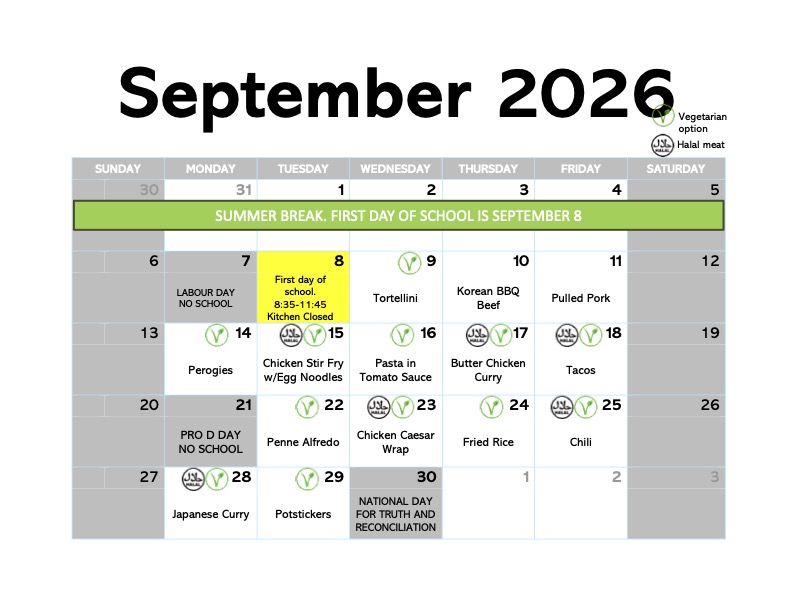
It’s time for school! It’s time for breakfast and lunch!
Breakfast starts at 8am! Have your child come to the kitchen. There is no charge for breakfast.
Ordering lunch for September is now live. Order online or pick up a paper menu from the school lobby.
MunchaLunch has updated their ordering system and it seems to be easier to understand and use! We’ve also made our own changes to the menus and hopefully it helps. Let’s take a quick look at ordering.
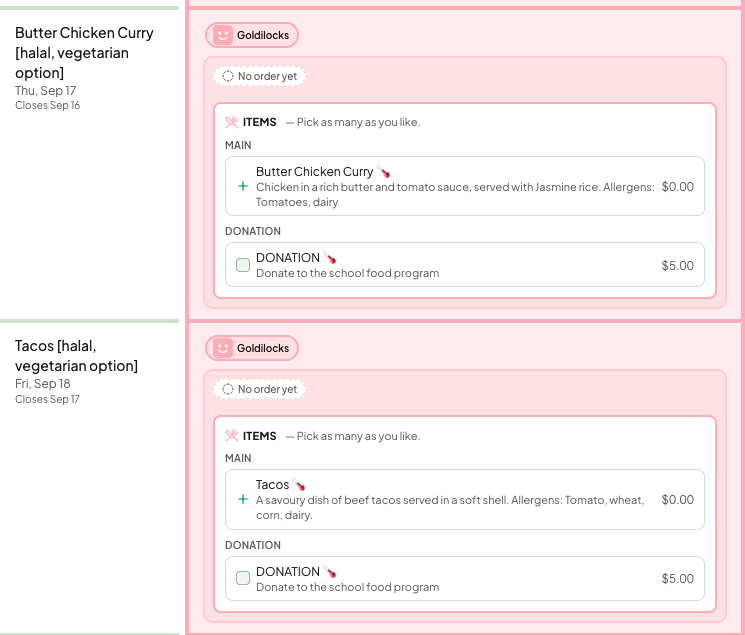
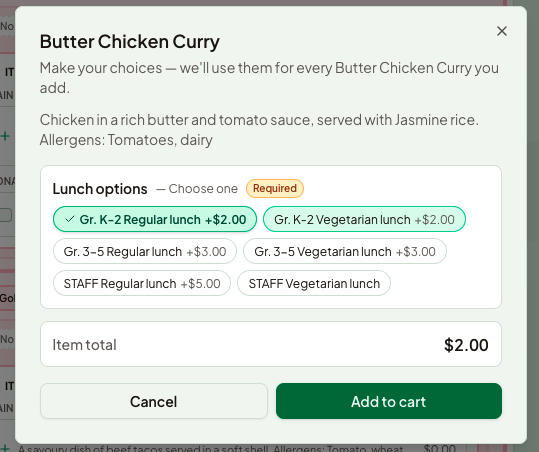
As we are starting early in the year, your child probably won’t know their teacher or division for the first few days. Don’t worry, WING IT. Choose an appropriate grade (and teacher!). The kids will be coming to the kitchen to get their lunch, so their class and grade doesn’t matter right now. We just need to know who ordered. Don’t forget to update your child’s class once you know, though!
If you have any questions about dietary needs or allergies, please reach out to the kitchen!
Check out the Hot Lunch page for more details.
Order online at MunchaLunch.